TDGL and FEM analysis
In this set of tutorials, we will cover conversion of qnngds.Device to tdgl.Device and skfem.mesh.MeshTri1 for analysis of device properties.
First, we will show how to generate a tdgl.Device
 1import qnngds as qg
 2from qnngds.analysis.tdgl import make_tdgl_device
 3import matplotlib.pyplot as plt
 4
 5snspd = qg.devices.snspd.basic()
 6device = make_tdgl_device(
 7    device=snspd,
 8    coherence_length=0.005,
 9    london_lambda=0.35,
10    thickness=0.01,
11    gamma=23.8,
12    layer=(1, 0),
13)
14fig, ax = device.draw()
15plt.show()
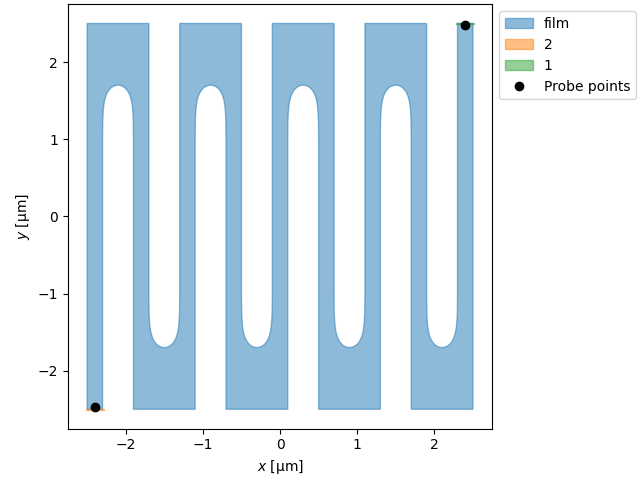
We can use this object to do tdgl simulations, check out [the docs](https://py-tdgl.readthedocs.io/en/latest/) for more info.
Now, let’s analyze the structure with femwell/skfem to visualize the current density.
1from qnngds.analysis.fem import (
2    make_mesh,
3    solve_laplace,
4    visualize_mesh,
5    visualize_current,
6)
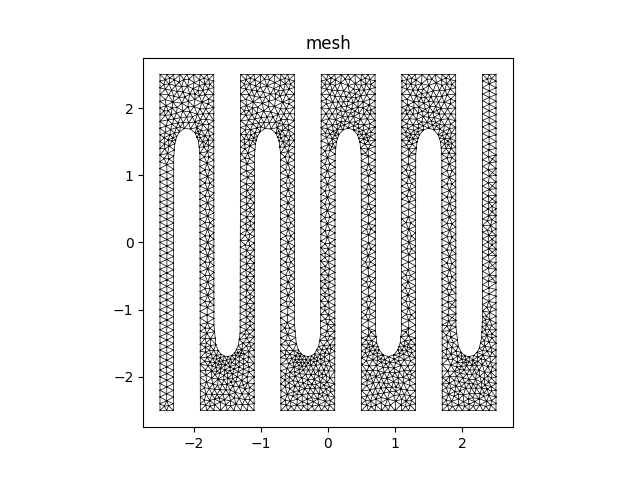
we can create a mesh as so:
1mesh = make_mesh(device=snspd, layer=(1, 0), tolerance=0.01)
2visualize_mesh(mesh)
3plt.show()
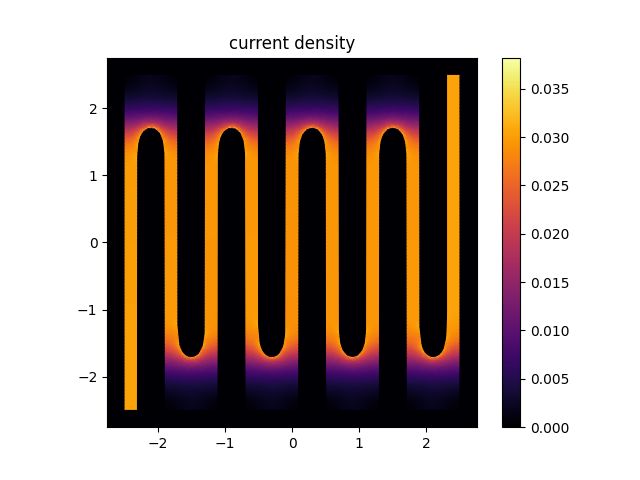
Now, let’s analyze the current density by solving the laplace equation
1result = solve_laplace(mesh)
2visualize_current(result, ("1", "2"))
3plt.show()